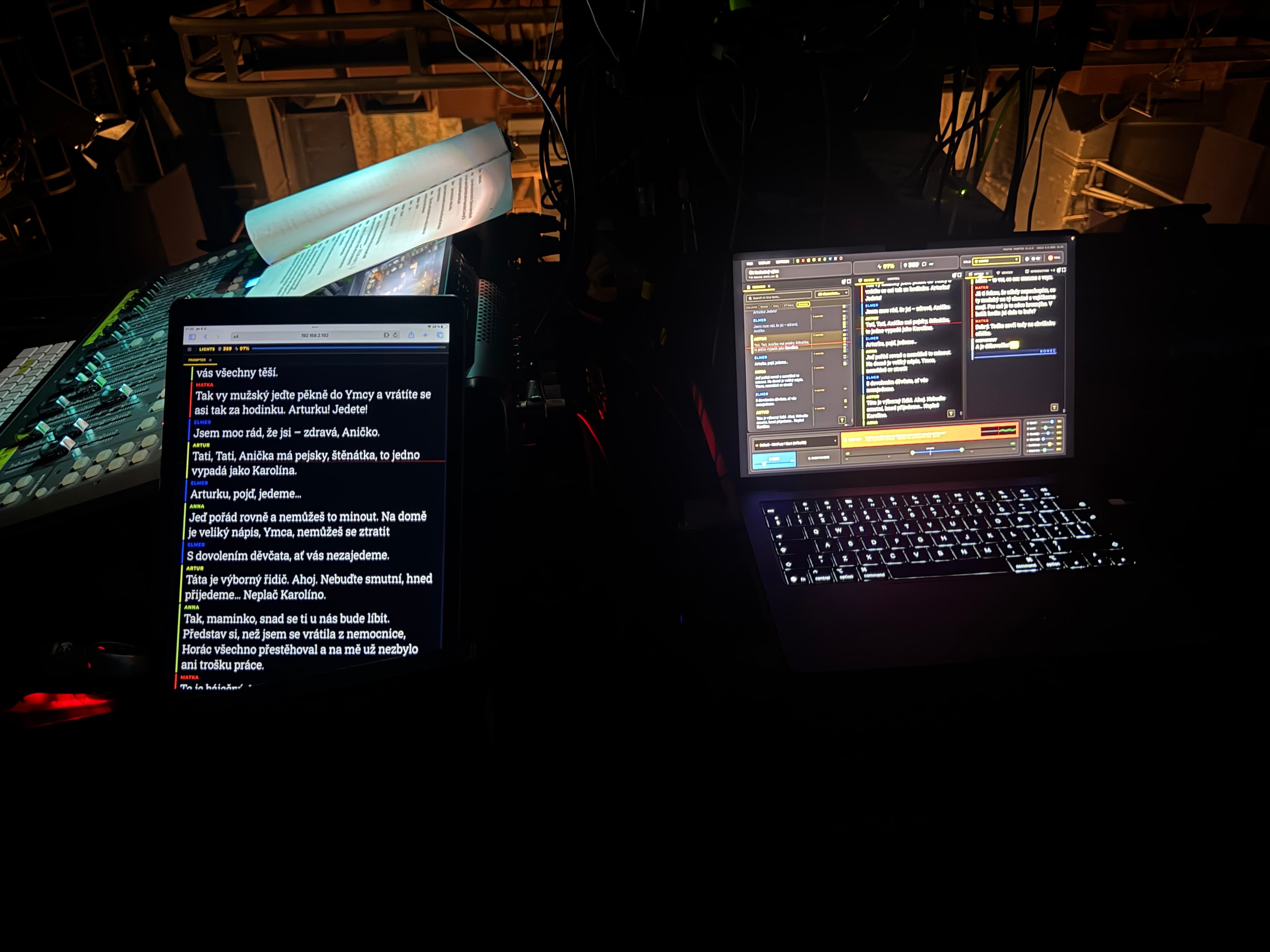
One monitor in the wings isn't enough anymore. Actors want the script on their tablet, the prompter wants it on theirs, the stage manager needs an overview and GO/READY cues. The good news is you don't need expensive hardware or the internet for this — a local network is enough. In this article we'll show how it works and what to watch out for.
Why a local network rather than the cloud
In theatre there are three reasons to keep everything on the local network. Reliability — you don't depend on the venue's internet, which must not fail during a show. Latency — data flies across a local network instantly, so scrolling and cues happen in real time. Privacy — an unpublished script or a rehearsal recording never leaves the building.
What you need
All it takes is a computer with the script and devices that connect to the same network. It works with ordinary tablets and phones — actors don't have to install anything, they just open an address in the browser. A dedicated router or hotspot you control is ideal, rather than the building's guest Wi-Fi.
How it works in Theatre Prompter
Theatre Prompter acts as the hub: the main display and script live on the computer, and connected devices get their own view. The actor sees their text, the prompter the whole script, the stage manager the cues. All over the local network, so it runs even without an internet connection. Remote devices replace expensive monitors scattered around the stage.
Practical tips
- Use your own network. A dedicated router or hotspot is more predictable than shared building Wi-Fi.
- Test the range. Check that the signal covers the stage and the wings — walls and metal can dampen Wi-Fi considerably.
- Charge the devices. Tablets running for a whole show need power; have cables ready too.
- Try it at a rehearsal. The real layout of actors and devices reveals weak spots before opening night.
Who it's for
A multi-device setup pays off for companies where several people need the text in front of them: actors with their own prompt, a prompter in the wings, a remote prompter, the stage manager with cues. Instead of one central monitor, everyone gets exactly what they need — and you keep control from one place.
Conclusion
Sending the script to actors' devices over a local network is a matter of a few minutes of setup today, not a hardware budget. Your own network, browser-capable devices, and one computer as the hub — and the whole show runs reliably, quickly, and privately, no matter how flaky the venue's internet is.